Solar Light On in the Day and Off at Night? Causes and Fixes
Why a solar light runs in daylight and is dead by night: disconnected panel, covered sensor, light feedback, wrong mode or a flat battery. How the dusk sensor works and our battery calculation.
Key points
- Most solar lights use the panel itself as the light sensor: no panel voltage means 'night'. A disconnected or broken panel lead makes the light switch on in daylight.
- A light that runs all day empties its battery before dark: in our calculator, a 15 W all-in-one light at full power for 12 hours needs 200 Wh, almost twice its 104 Wh usable battery.
- Lights that turn off at night are often seeing their own light, a nearby lamp or a security light on the panel or sensor.
- Check in this order: panel connection, sensor covered or dirty, nearby light sources, controller mode, battery.
A solar light that glows in the middle of the day and is dark by evening looks broken in a strange way, but the cause is usually simple. Solar lights decide when it is night by reading light, and anything that confuses that reading makes them run at the wrong time. Running in the day also empties the battery, so the second symptom follows from the first. This guide explains how the dusk sensing works, lists the common causes in the order we check them, and shows with a calculation why a day-running light is always dark at night.
How a solar light knows it is night
Most solar street lights, wall lights and garden lights have no separate light sensor. The controller watches the panel voltage: when the sun goes down, the voltage falls below a threshold and the controller switches the LED on; when it rises again at dawn, the LED goes off and charging starts. Some garden and decorative lights use a small separate photocell instead, often a dot on the top cap.
Either way, the controller sees “dark” in three situations: it is really night, the panel or sensor is covered, or the controller cannot read the panel at all. The last two are the faults behind this problem. Our solar light on/off switch article explains what the switch itself does.
The calculation: why it is dark at night
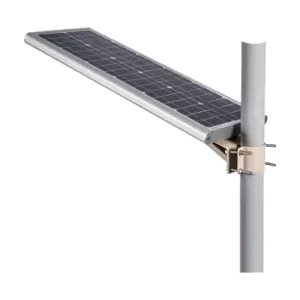
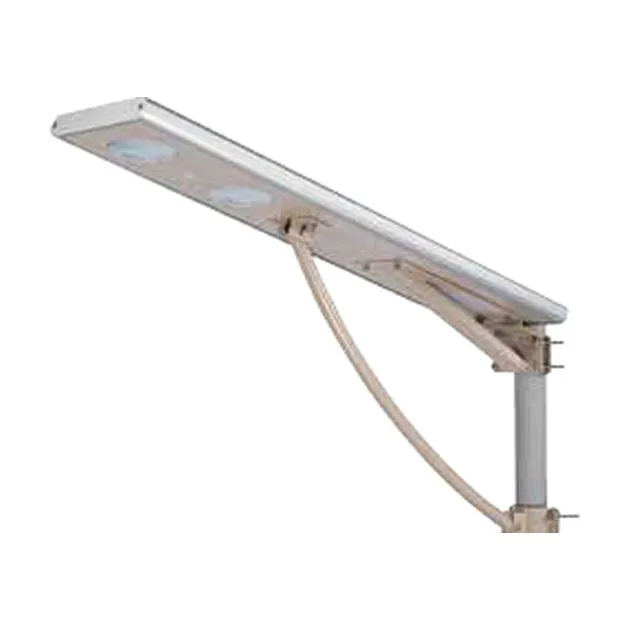
Take our SL3530C015 all-in-one light: 15 W LED, 20 Wp panel, 12.8 V 9 Ah LiFePO4 battery. Our battery autonomy calculator gives about 104 Wh of usable energy.
| Situation | Energy used per day | Battery covers |
|---|---|---|
| Normal: 2 h full, then 10 h at 15 % | 58 Wh | 2.1 nights |
| Fault: 12 h at full power in daylight | 200 Wh | 0.54 days, about 6 hours |
(open the normal profile · open the fault case)
Running at full power, the battery is empty after about six hours, long before sunset. Worse, if the cause is a disconnected panel, nothing is charging it either. So “on in the day, off at night” is usually one fault, not two.
The causes, in the order to check them
1. Panel disconnected or cable damaged
On split lights the panel connects through a plug or terminal. A loose plug, a cable cut by a strimmer, chewed by animals, or corroded at the connector leaves the controller with no panel voltage, so it reads permanent night. On all-in-one lights, an internal connector can work loose after transport or a hard knock.
Fix: switch off, inspect the cable along its length, reseat or replace the plug, and check the panel voltage in sun with a multimeter. Our solar street light not working guide shows how to take the readings.
2. Panel or sensor covered
Leaves, a bird’s nest, a protective film left on from the factory, heavy dust, or a sticker on a photocell all make the controller think it is dark. Some lights are installed under eaves or with the panel facing a wall.
Fix: remove the film, clean the panel and sensor, and move the light so the panel sees open sky.
3. The light sees light at night
The opposite fault turns the light off after dark. If the panel or photocell sees the lamp’s own beam reflected from a wall, a nearby street light, a security floodlight or regular car headlights, the controller thinks dawn has come.
Fix: turn the panel or head so the sensor faces away from other lights, fit a small shade over a photocell, or move the light. For security lights on the same wall, see security light sensor settings.
4. Wrong controller mode
Many controllers have modes set by a button or a remote: test mode (light on regardless of daylight), timer mode, or motion-only mode. A mode change by accident, or a reset after a battery change, can make the light behave oddly.
Fix: check the mode indicator and set dusk-to-dawn or the intended profile. Our solar street light dimming profile article covers typical settings for street lights.
5. Battery worn or never charged
A worn battery may switch on correctly at dusk but die within an hour, which looks like “off at night”. New lights that were stored for months may also need a full charge first; see charging solar lights for the first time.
Fix: switch off and leave in full sun for one or two days, then test. If it still dies early, test or replace the battery; see rechargeable batteries for solar lights.
6. Controller fault
If the panel voltage is present in daylight, nothing is covering the sensor, the mode is right and the battery is healthy, the controller itself may be faulty. On all-in-one lights this usually means replacing the controller board or the unit.
After the fix: give it a full day
Once the cause is fixed, switch the light off and leave it in sun for a full day so the battery recovers. In our normal-profile calculation, the panel refills the 15 W light’s battery only slowly, so a battery drained by daytime running needs that rest day before it gives full nights again.
For distributors and installers
Most of these calls come in during the first weeks after installation. A short installation sheet that says “remove the panel film, face the panel to open sky, keep it away from other lights, check the plug” prevents most of them.
What to send us
The model, a photo of the installation showing the panel and nearby lights, how long the light runs and when. We will tell you which of the causes above fits and what to replace if anything.
Sources
Frequently asked questions
Why is my solar light on during the day?
Usually because the controller cannot see the panel voltage, so it thinks it is night. Check for a loose plug, a cut or corroded panel cable, or a panel that is fully covered. On lights with a separate photocell, the sensor may be covered or faulty.
Why does my solar light turn off at night?
Either the battery is already empty, often because the light ran during the day, or the sensor sees light at night from the lamp itself, a street light, a security light or car headlights and switches the light off.
How do I fix a solar light that is on in the day?
Switch it off, reconnect or replace the panel lead, clean the panel, then leave it switched off in full sun for a day to recharge before testing it at dusk.
Can a solar light be in the wrong mode?
Yes. Many controllers have a test mode, a timer mode or motion-only mode set by a button or remote. After a battery replacement or a power reset, some return to a default mode. Check the manual for the mode indicator.
Could the battery be the problem?
A worn battery holds so little that the light dies early in the evening, which looks like 'off at night'. If the panel connection and sensor are fine and the light still dies within an hour or two, test or replace the battery.