How to Set Up a Security Light with a Sensor, and Why It Stays On in Daylight
How to set the lux, time and sensitivity controls on a motion-sensor security light, how to aim it, and how to fix a light that stays on in daylight, mains or solar.
Key points
- Most sensor lights have three controls: LUX (how dark before it works), TIME (how long it stays on) and SENS (detection range). Set them in that order, at dusk, after a daytime walk test.
- A light that stays on in daylight is usually set to manual override, has its LUX control at the wrong end, sees its own light or a reflection, or (on solar lights) has a covered or disconnected panel.
- Motion mode saves a lot on solar: 20 triggers of 1 minute at 10 W use about 3.3 Wh a night, against 12 Wh for a constant 1 W glow, set against about 27 Wh a sunny day from our 10 W panel.
- Mount PIR sensors at about 2–3 m and aim them so people walk across the detection zone, not straight towards it; PIR sensors detect movement across their field best.
A security light with a motion sensor should do two simple things: stay off when nothing is happening, and switch on when someone walks into the area at night. In practice many lights switch on every time a car passes, or stay on all day. Almost all of these problems come from the settings and the aiming, not from a faulty light. This guide explains how to set one up properly, and how to fix the most common fault: a light that stays on in daylight.
The three controls
Most mains PIR (passive infrared) security lights have three small knobs, usually under the sensor head:
| Control | Symbol | What it does | Typical range |
|---|---|---|---|
| LUX | Sun to moon | Sets how dark it must be before the light works | Daylight to darkness |
| TIME | Clock | Sets how long the light stays on after the last movement | About 10 s to several minutes |
| SENS | Range | Sets how far away movement is detected | A few metres to about 10–12 m |
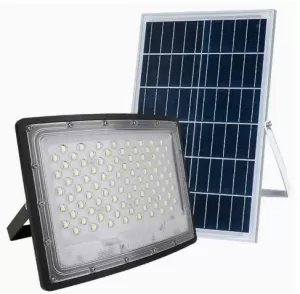
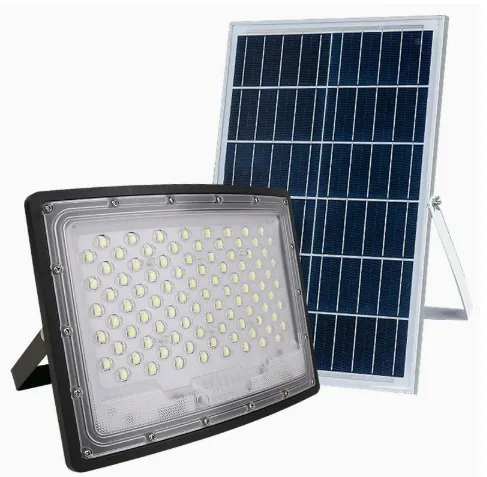
Solar security lights often replace the knobs with a remote control or a mode button, but the same three ideas apply: a darkness threshold, an on-time and a sensitivity. Our solar flood light has light control, timer and remote control modes.
Step-by-step setup
- Mount the light at about 2–3 m. Lower and the sensor sees too little; higher and it misses small movements close to the wall.
- Aim the sensor across the path, not along it. PIR sensors detect a warm body moving across their field of view much better than one walking straight at them. Aim so visitors cross the detection zone.
- Set LUX to the sun end and TIME to minimum so you can test in daylight.
- Walk test. Walk across the area at different distances. Adjust SENS until the light reacts where you want and not on the street or neighbour’s drive.
- Set LUX at dusk. When it is as dark as the point where you want the light to start working, turn LUX slowly from sun towards moon until the light just stops responding, then back a little.
- Set TIME. One to three minutes is enough for most doors and drives. Long times waste energy and look like a fault.
Why a security light stays on in daylight
Work through these causes in order.
Manual override. Many lights have a permanent-on mode, entered by switching the wall switch off and on quickly. People trigger it by accident. Fix: switch off for at least a minute, then on once.
LUX at the wrong end. On the sun setting the light works in daylight. If something keeps triggering it, it looks as if it never goes off. Fix: turn LUX towards moon.
Constant triggering. A tree moving in the wind, a heating vent, a busy road or a pet in the zone keeps resetting the timer. Fix: reduce SENS, re-aim, or mask part of the lens with tape.
The sensor sees darkness. A sensor under a deep porch or behind a hedge may read “dark” all day. Fix: move the sensor or the light.
Wiring. If the light is wired with a permanent live that bypasses the sensor, or if a separate switch or timer overrides it, it will stay on. Fix: have an electrician check the wiring against the instructions.
Faulty sensor. If none of the above helps, the sensor or its relay may have failed. Many lights accept a replacement sensor head. Our guide to photocells for outdoor lights covers dusk sensors, which fail in similar ways.
Solar security lights: extra causes
A solar light uses its panel as the daylight sensor. When the panel voltage is low, the controller decides it is night. So a solar light that stays on in daylight usually means:
- the panel is covered, shaded, dirty or facing away from the sun;
- the panel cable is disconnected or damaged, which the controller reads as darkness;
- the light was left in a constant or timer mode by the remote.
Check the panel and its connector first. On our solar flood light the panel sits on a 5 m cable, so the lamp can be under an eave while the panel faces the sun; make sure the cable plug is fully seated and sealed.
Why motion mode matters on solar
On a solar light, the sensor setting decides whether the battery lasts the night. Using our solar flood light’s real data, a 10 W panel at 4.5 peak sun hours supplies about 27 Wh on a sunny day into a 32 Wh battery, the same daily-energy method as our solar street light calculator. Compare two ways of using that energy:
| Mode | Assumption | Energy per night |
|---|---|---|
| Motion only | 20 triggers × 1 minute at a real 10 W | about 3.3 Wh |
| Constant glow | 1 W for 12 hours | about 12 Wh |
| Constant bright | 3 W for 12 hours | about 36 Wh (more than a sunny day supplies) |
Motion mode leaves plenty of reserve for cloudy days; a constant bright setting drains the battery. Note that the label on many solar flood lights (for example “100 W”) is far above the real power the battery can sustain; our product page lists panel watts and battery Wh for each size. See also our guide to solar motion detector lights.
Placement tips
- Keep the sensor away from heat sources: boiler flues, air-conditioning outlets, car parking spaces where warm engines stop.
- Avoid aiming at the street or a neighbour’s property; reduce SENS or mask the lens.
- Do not let the light shine on its own sensor, or on a white wall that reflects back into it; that can cause on-off cycling.
- Choose the beam to fit the area. A wide floodlight lights a yard; a narrow one lights a path. Our guide to motion sensor flood lights compares types, and LED flood lights with photocells covers dusk-to-dawn operation.
When to buy for a whole site
For estates, warehouses and commercial sites, settle the mode first (motion, dusk-to-dawn, or dim-plus-motion), then the light size, then the sensor range. Send us the areas to light, the hours you need and whether mains is available, and we will recommend mains or solar floodlights with the right sensor setup.
Sources
Frequently asked questions
How do I set up a security light with a motion sensor?
Mount it at about 2–3 m, aim the sensor so people cross its field, set LUX to the daylight (sun) end and TIME to the shortest, walk-test in daylight and adjust SENS, then turn LUX towards the moon symbol at dusk until it works only when it is dark enough, and finally set TIME.
Why does my security light stay on during the day?
Common causes: the light was put into manual override (permanent on) by switching it off and on quickly; the LUX control is set to daylight mode; the sensor is in deep shade; or a fault in the sensor. On solar lights, a covered, shaded or disconnected panel makes the controller think it is night.
How do I reset a security light stuck on?
Switch it off at the wall or breaker for at least a minute, then on again once. Many lights then run a warm-up of a minute or so and return to automatic mode.
Why does my sensor light keep turning on by itself?
Moving trees, passing cars, pets, warm air from vents and reflections can trigger it. Reduce SENS, re-aim the sensor, or mask part of the lens.
What are the best settings for a sensor light?
Set LUX at dusk so the light only works once it is dark enough, TIME to one to three minutes for most doors and drives, and SENS just high enough to catch movement where you want it but not on the street. Mount the light at about 2–3 m and aim the sensor across the path, not along it.