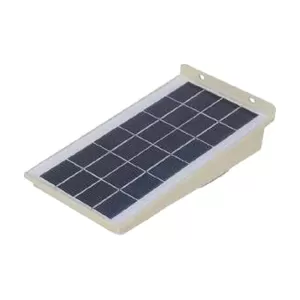
Solar Light with On/Off Switch: What the Switch Does and When to Use It
Why solar lights have an on/off switch, how to charge a solar light with the switch (on, in full sun, about 6 sun hours from empty for our 5 W wall light) and when to switch off.
Key points
- On most solar lights, the switch disconnects the battery from the controller. In the on position the light still only turns on at dusk; the light sensor, not the switch, decides when it shines.
- A light left switched on in a dark carton thinks it is night and runs until the battery is flat. Our 5 W wall light would empty its battery in under a night that way.
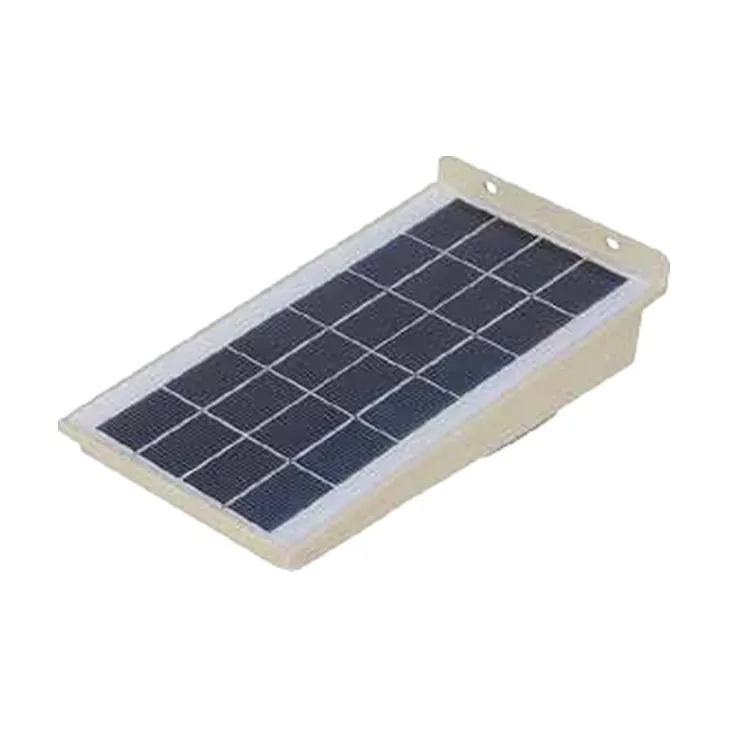
- Our battery calculation for the SL3530J005 (6.8 Wp panel, 3.7 V 8 Ah battery) shows 3 hours at full power plus 5 at 30% uses 25 Wh a night, slightly more than a 4.5 sun-hour day replaces; 2 hours at full power brings it into balance.
- To charge from empty, switch on and leave the panel in full sun: our wall light needs about 6 peak sun hours, roughly a day and a third at 4.5 sun hours a day.
- Switch off for storage, shipping and long periods of bad weather; switch on and leave in sun for a full day before first use.
Almost every solar light, from a small garden stake to a solar street light, has an on/off switch or button somewhere. Customers often misunderstand it: they expect the light to shine when switched on in daytime, or they leave it off and wonder why it never charges. This guide explains what the switch does, when to use it, and uses our battery calculator to show why switching off matters for storage and shipping.
Why is there an on/off switch on solar lights?
Because a solar light has a battery that would otherwise never rest. The light sensor turns the LED on whenever it is dark, and a carton, a warehouse or a garage is dark all the time. Without a switch, every light would drain its battery between the factory and the customer, and a deeply discharged lithium cell may never recover. The switch lets the manufacturer, the shop and the owner isolate the battery for shipping, storage and long dark spells. It is a battery isolator, not a light switch.
How to charge solar lights with an on/off switch
- Set the switch to ON (or AUTO). On most designs the switch sits between the battery and the controller, so in the OFF position the panel cannot charge the battery. A few lights charge in either position; the manual says which.
- Put the panel in full, direct sun. Behind a window, under eaves or in partial shade, charging slows sharply.
- Give it enough sun hours. For our SL3530J005 wall light, the battery holds about 29.6 Wh (3.7 V × 8 Ah). The 6.8 Wp panel delivers about 4.9 Wh per peak sun hour after charging losses (6.8 × 0.72), so a full charge from empty takes about 6 peak sun hours: roughly a day and a third of good weather at 4.5 sun hours a day, or two to three winter days.
- Expect no light while it charges in daylight. The sensor keeps the LED off until dusk. That is normal.
- If it still does not light after two sunny days, check the troubleshooting list below.
The same steps apply to larger solar street lights, where the switch is often replaced by a remote or an app setting, and the charge time is set by the ratio of panel to battery size.
What the switch actually controls
A solar light has four parts: panel, battery, controller and LED. The controller charges the battery from the panel by day and turns the LED on at dusk, using the panel or a separate photocell as a light sensor. On most products, the switch connects or disconnects the battery from the controller.
- Off: the battery is isolated. The light will not turn on at night and, on most designs, will not charge.
- On (or Auto): the controller is live. The light charges by day and switches on automatically at dusk.
So switching on in daylight usually produces no light at all. That is normal: the sensor sees daylight and keeps the LED off. To test, cover the panel completely for several seconds or wait until dark.
Many lights have more than two positions, for example:
| Position | Typical behaviour |
|---|---|
| Off | Battery isolated; for storage and shipping |
| On / Auto | Dusk to dawn, full or programmed output |
| Motion | Low glow or off, full light when motion is detected |
| Dim / Eco | Lower output for longer runtime |
Larger solar street lights often replace the physical switch with a remote control or an app, but the same idea applies.
Why lights must be stored and shipped switched off
Inside a carton, a switched-on solar light is in complete darkness. The controller decides it is night and turns the LED on, then keeps it on until the battery is empty. It cannot recharge, because no light reaches the panel.
Using our battery autonomy calculator with the data of our SL3530J005 solar wall light: 3.7 V, 8 Ah lithium battery, taking 90% as usable, gives about 26.6 Wh. At its full 5 W, with 90% driver efficiency, that is about 4.8 hours of light. A switched-on light in a carton would therefore empty its battery in less than a single night.
Lithium cells left fully discharged for weeks can drop below the voltage at which their protection circuit allows charging. The customer then receives a light that never works. With the switch off, the battery only loses its own small self-discharge, typically a few percent a month for lithium, and arrives ready to use.
How much the light uses each night: our calculation
The same calculation shows how the switch, the schedule and the weather interact. With the SL3530J005’s 6.8 Wp panel and 4.5 peak sun hours a day:
| Night schedule | Energy per night | Solar energy per day | Result |
|---|---|---|---|
| 3 h at 100% + 5 h at 30% | 25.0 Wh | about 22.0 Wh | Slight deficit; battery covers about 1.2 cloudy days |
| 2 h at 100% + 6 h at 30% | 21.1 Wh | about 22.0 Wh | Small surplus; battery covers about 1.5 cloudy days |
| 3 h at 100% + 5 h at 30%, winter day of 2.4 sun hours | 25.0 Wh | about 11.8 Wh | Large deficit; battery runs down in about a day |
The solar energy figure uses the calculator’s overall charging efficiency of 0.72. Two lessons follow. First, small solar lights are balanced on a knife edge: a modest change in schedule moves them from deficit to surplus. Second, in a run of dark days the battery will be drained every night and never refilled. This is when the off switch is useful: switching the light off for two or three sunny days lets the battery refill completely, which is better for a lithium cell than nightly deep discharge.
For a full sizing method for larger systems, see our guide to solar street light battery specifications.
First use: the right way
- Unpack and switch on.
- Leave the light in full sun for one or two days before judging it, so the battery starts full.
- Mount it where the panel faces the sun (towards the equator) and is not shaded by eaves, trees or walls.
- Keep it away from porch lights and street lights, which the sensor may mistake for daylight.
- Test at night, in real darkness.
Troubleshooting: switch on, no light
- Battery flat: recharge for a full sunny day with the switch on.
- Panel dirty or shaded: clean it and check the sun path over the day.
- Sensor sees light: move the light or shield it from nearby lamps.
- Old battery: small lights often use replaceable cells; replace with the same chemistry and voltage. See rechargeable batteries for solar lights.
- Water ingress or loose connector: check the seal and the panel cable.
Our guide to solar light replacement parts covers parts that can be changed.
Notes for retailers and distributors
- Ship and store switched off, and make sure your supplier does the same.
- Charge-check stock that has been in the warehouse for months; switch on, leave in sun, test.
- Print a clear first-use instruction on the box: “Switch on, leave in full sun for one day before use.” It prevents a large share of returns.
- Explain the sensor, so customers do not return lights that “don’t work in daylight”.
Summary
The on/off switch on a solar light is a battery isolator, not a light switch. On means “work automatically”; off means “rest”. Use off for storage, shipping and long dark spells, and on for normal use. Our calculation for a 5 W wall light shows how small the energy margins are, and why a switched-on light in a dark box can be flat before it reaches the customer. See also solar powered outdoor wall lights.
Sources
Frequently asked questions
Should a solar light be on or off to charge?
On most designs, the battery charges only when the switch is on, because the switch disconnects the battery from the controller and panel. Some lights charge in the off position too; check the manual. When in doubt, leave it on in full sun.
Why does my solar light not come on even though the switch is on?
Usually because the battery is flat, the panel is shaded, or the light sensor sees another light source such as a porch light. Leave the light switched on in full sun for a day or two and test it in real darkness, not by covering the panel for a second.
Do solar lights need to be switched off in winter?
Not normally. But in long periods of little sun, switching off for a few days lets the battery recharge fully instead of being drained every night, which protects lithium batteries from repeated deep discharge.
Why are solar lights shipped switched off?
So the battery is not drained in transit. In a dark carton, a switched-on light thinks it is night and runs until the battery is empty, and a deeply discharged lithium cell may not recover.