What Is UGR? The Unified Glare Rating Explained for Offices, Classrooms and Factories
What the Unified Glare Rating measures, the UGR limits for offices, classrooms and industry, why a bright panel can still be comfortable, and how to check a UGR claim in a datasheet.
Key points
- UGR is a number from about 10 to 30 that predicts discomfort glare from the luminaires in a room; lower is more comfortable.
- EN 12464-1 sets limits such as UGR 19 for offices and classrooms and 22–28 for industrial and circulation areas.
- UGR depends on the room and the layout, not only on the luminaire; a datasheet value is for a standard room and viewing position.
- Glare comes from luminance (brightness per area): a 600 × 600 panel at about 3,900 cd/m² is comfortable, a bare LED array at millions of cd/m² is not.
Two offices can have the same 500 lux on the desks and feel completely different. In one, people work all day without noticing the lights. In the other, they squint, put up their hands and ask for lamps to be removed. The difference is usually discomfort glare, and the number that predicts it is the Unified Glare Rating (UGR). This guide explains what UGR measures, the limits that apply, and how to read a UGR claim on a datasheet.
What UGR measures
UGR estimates how uncomfortable the luminaires in a room will feel to a seated person looking horizontally across it. It was defined by the CIE (publication 117) and combines four things:
- Luminance of each luminaire as seen from the viewer’s position (how bright it looks per unit area).
- Size of each luminaire as seen by the viewer (the solid angle it fills).
- Position relative to the line of sight; a light near the centre of view glares more than one at the edge.
- Background luminance of the room; the same light glares more in a dark room than in a bright one.
The formula is UGR = 8 log₁₀ [ (0.25 / L_b) × Σ (L² ω / p²) ], where L is luminaire luminance, ω its solid angle, p the position index and L_b the background luminance. You do not need to calculate it by hand; lighting software does it from the luminaire’s photometric file. What matters is that luminance is squared: halving the brightness of the visible surface cuts glare far more than halving the number of lights.
The result usually falls between about 10 (no noticeable glare) and 30 (intolerable). Standards use steps of 3: 13, 16, 19, 22, 25, 28.
The limits you will meet
EN 12464-1 gives a maximum UGR for each type of task. Typical values:
| Area or task | UGR limit |
|---|---|
| Technical drawing, very fine work | 16 |
| Offices: writing, reading, screen work | 19 |
| Classrooms and lecture halls | 19 |
| Meeting rooms, reception desks | 19–22 |
| Industrial: fine assembly | 19–22 |
| Industrial: rough work, warehouses with picking | 22–25 |
| Corridors, storage, plant rooms | 25–28 |
Other countries’ standards are similar. For schools, many tenders specify UGR 19 explicitly; see our LED classroom lighting guide for a worked classroom.
Why luminance matters more than watts
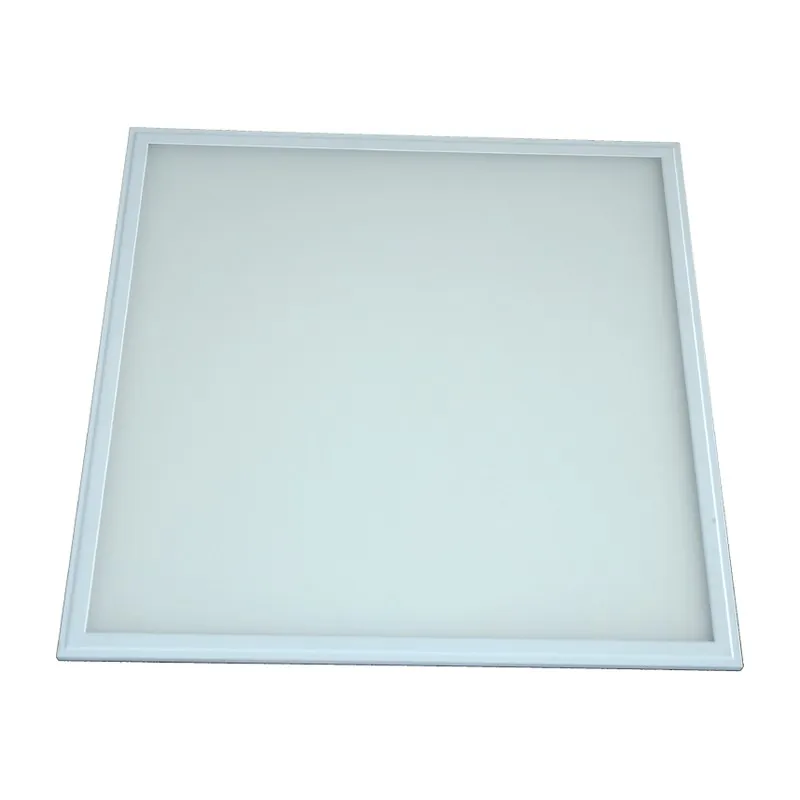
Here is a simple comparison using the figures of real products. Our BG-MBC W36 low-glare panel emits 4,320 lumens from a 595 × 595 mm face. Spread evenly over that face, the average luminance is about:
4,320 lm ÷ (π × 0.354 m²) ≈ 3,900 cd/m²
That is bright but comfortable to look at. A bare LED array in an open high bay, with the same lumens coming from a few square centimetres, reaches hundreds of thousands to millions of cd/m². Same light output, a thousand times the luminance, and far higher glare. This is why:
- panels with large, even diffusers are used in offices and classrooms;
- low-glare panels add a microprismatic or similar optic that further cuts brightness at low viewing angles, where it causes glare;
- high bays in low-ceiling rooms need diffusers or deep reflectors, as explained in our high bay vs low bay guide.
How to read a UGR claim
Datasheets often say “UGR < 19”. Check three things:
- The table, not just the number. A proper claim comes from a UGR table calculated to CIE 117 for standard room sizes (for example 4H × 8H) and reflectances (70/50/20), viewed crosswise and endwise. The single headline figure is usually one cell of that table.
- The photometric file. A designer should be able to load the IES or LDT file into DIALux or Relux and get similar values in the real room.
- The exact version. Low-glare and standard versions of a panel often look identical from the outside. Make sure the UGR figure belongs to the model in your quotation.
For our own panels: the BG-MBC W36 has an anti-glare optic and is intended for offices, meeting rooms and classrooms; our standard BG-MBC panel has a 120° diffuser and suits general areas. If a project specifies a UGR limit, send us the room details and we will check the specific layout rather than quote a generic figure.
Layout matters too
Because UGR depends on the room, the same luminaire can pass in one layout and fail in another:
- Rows parallel to the main viewing direction usually give lower UGR than rows across it.
- Bright ceilings and walls raise the background luminance and lower UGR. Dark finishes raise it.
- More, lower-output luminaires give lower UGR than fewer, brighter ones for the same lux.
- Suspended direct/indirect fittings that light the ceiling reduce contrast and glare.
Glare is not only UGR
UGR covers discomfort glare indoors. Other kinds matter too:
- Disability glare reduces visibility. On roads it is measured as threshold increment (TI).
- Reflected glare from screens and glossy desks depends on where the lights are relative to the screens.
- Flicker is a separate comfort issue, caused by the driver rather than the optic. A low-glare panel with a poor driver can still be tiring to work under. For panel types and sizes, see our flat panel guide.
Our office lighting fixtures guide puts these together for a complete office design.
Summary
UGR predicts how uncomfortable a room’s lighting will feel. Aim for 19 or less where people read and use screens, accept higher values in industrial and circulation areas, and remember that the figure belongs to a room and a layout, not just a luminaire. Large, even, low-luminance optics are the key to a low UGR without losing light on the work surface.
Sources
Frequently asked questions
What is a good UGR value?
UGR 19 or below is the usual target for offices, classrooms and other places where people read or use screens for long periods. 16 or below suits technical drawing and very demanding visual work. 22–25 is acceptable in many industrial areas and 28 in corridors and storage.
Is UGR below 19 required by law?
Not directly. It is a recommendation of lighting standards such as EN 12464-1, which are often written into building regulations, tenders or school and office design guides. Check what your project specification requires.
Does a lower UGR mean less light?
Not necessarily. UGR measures glare, not light on the desk. Optics such as microprismatic diffusers and deep louvres reduce the luminance seen at low angles while still putting the light down onto the work surface.
Why does the same panel have different UGR values?
Because UGR depends on room size, viewing direction, surface reflectances and the luminaire layout. Datasheets usually quote it for a standard 4H × 8H room with 70/50/20 reflectances, viewed crosswise or endwise.